Compare Sales Marketing Tools for B2B Teams
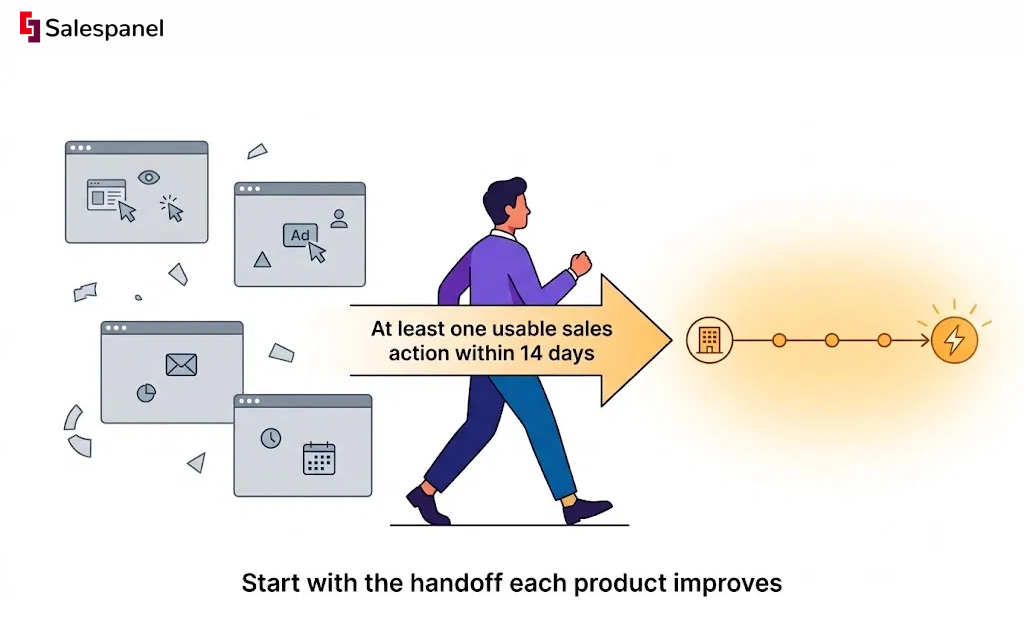
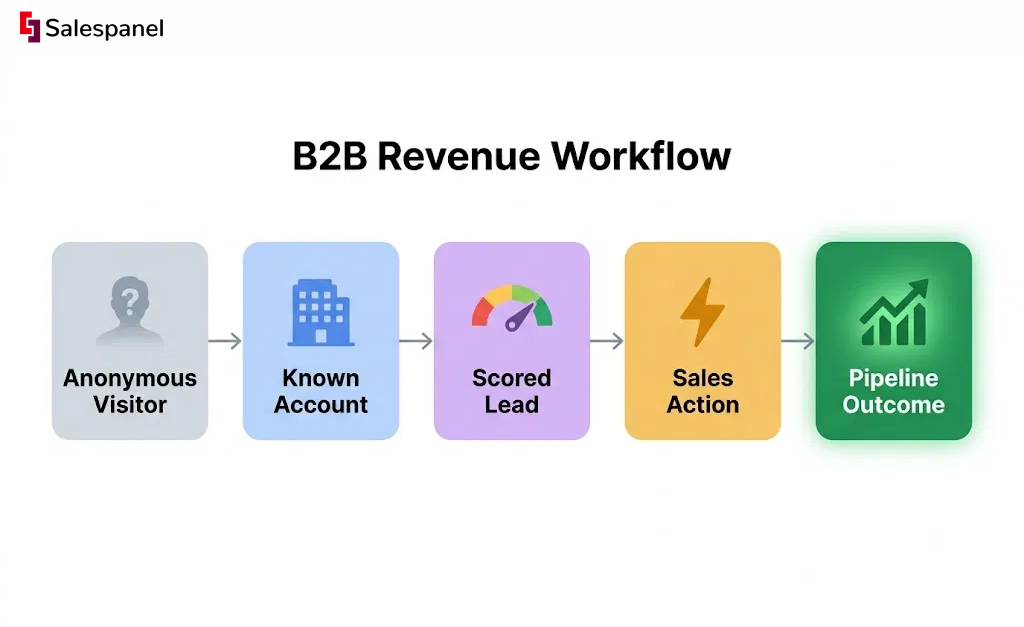
If you want to compare sales marketing tools for B2B teams in a way that survives contact with your actual pipeline, start with the handoff each product improves. Anonymous visit to identified account. Identified account to qualified lead. Qualified lead to booked meeting. Meeting to pipeline. A feature grid in a pricing table tells you almost nothing about which of those handoffs is currently leaking.
The practical problem is familiar to anyone who has sat in a Monday revenue meeting. Marketing brings campaign engagement: sessions, form fills, email open rate, webinar attendance. Sales brings CRM activity: calls logged, deals moved, notes written after the fact. Neither team has a single account timeline showing that three people from the same company read the pricing page twice last week, one of them clicked a retargeting ad, and nobody has followed up. Without connected tracking and routing, that timeline lives in four systems and gets reassembled manually, usually too late.
This is not a roundup arguing that one platform replaces everything. It will not. The useful question is which primary system you need to fix first — CRM, marketing automation, visitor intelligence, outbound data, or ABM orchestration — and what signal layer sits on top of it.
Throughout, the evaluation lens stays the same: data capture, account identification, buying-signal quality, activation paths, workflow fit, implementation effort, and pricing transparency. Most comparison articles group products by category and stop there. We are grouping them by the revenue workflow each tool can genuinely own, and naming the workflows it cannot.
How to Compare Sales Marketing Tools for B2B Teams
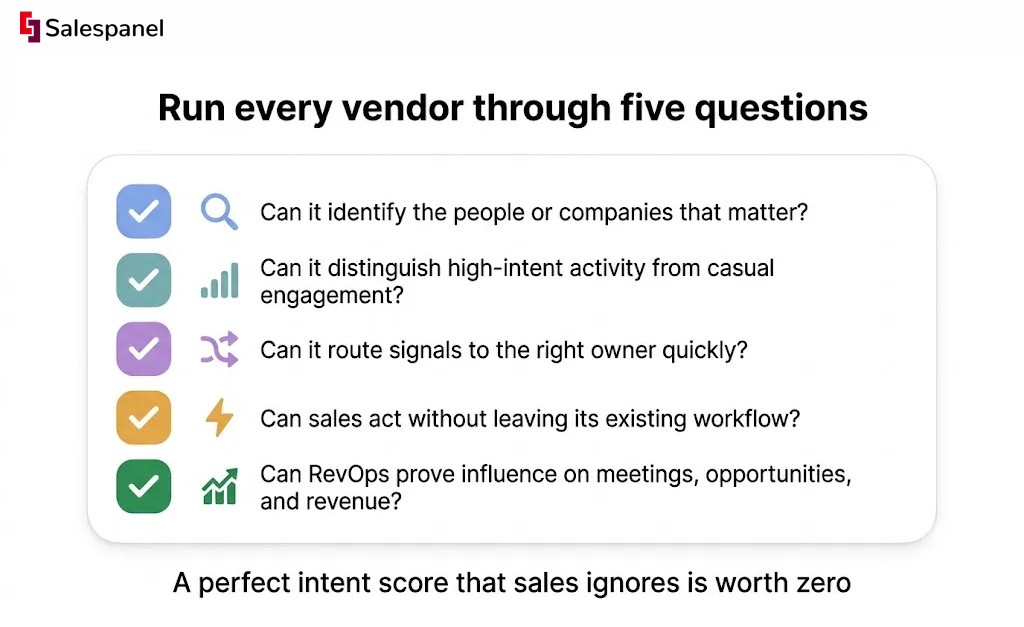
The comparison should start with the data source your team actually trusts. CRM records, website behavior, third-party contact data, or account intent signals — whichever one your reps believe determines both your reporting quality and, more importantly, whether anyone uses the tool after month two. A perfect intent score that sales ignores is worth zero.
Run every vendor through five questions:
- Can it identify the people or companies that matter? Not total traffic. Target accounts and ICP-fit companies.
- Can it distinguish high-intent activity from casual engagement? A pricing page visit and a careers page visit should not score the same.
- Can it route signals to the right owner quickly? Minutes, not a weekly digest email.
- Can sales act without leaving its existing workflow? If the answer requires a new tab and a new login, adoption drops.
- Can RevOps prove influence on meetings, opportunities, and revenue? Closed-loop reporting or it did not happen.
Do not compare these like-for-like
A recurring mistake in shortlists is placing products side by side that were never solving the same problem. For clarity:
- HubSpot and Salesforce are systems of record.
- Salespanel is visitor intelligence and signal activation.
- Apollo.io is prospecting and outbound engagement.
- 6sense is enterprise ABM and account orchestration.
- Adobe Marketo Engage is marketing automation for complex programs.
- Clay is data enrichment and workflow building.
- Qualified is conversational pipeline creation.
Pricing deserves the same discipline. Evaluate total operating cost, not the headline number: seats, contact limits, enrichment credits, identified accounts, implementation services, and the add-ons that turn out to be required rather than optional. Entry tiers are frequently priced to look cheap at volumes no growing B2B team stays at for long.
One test we would insist on in any trial: time-to-first-action. Within the first 14 days, the tool should produce at least one usable sales action — a routed high-fit account alert, an enriched record a rep actually called, a meeting booked from a live conversation. If nothing reaches a human who can act on it in two weeks, the problem is rarely fixed by a longer trial. It is usually fixed by a different tool, or by defining your scoring model first. If you have not documented one, start with how to build a B2B lead-scoring model before you sit through another demo.
Compare Sales Marketing Tools for B2B Teams: 7 Options
HubSpot
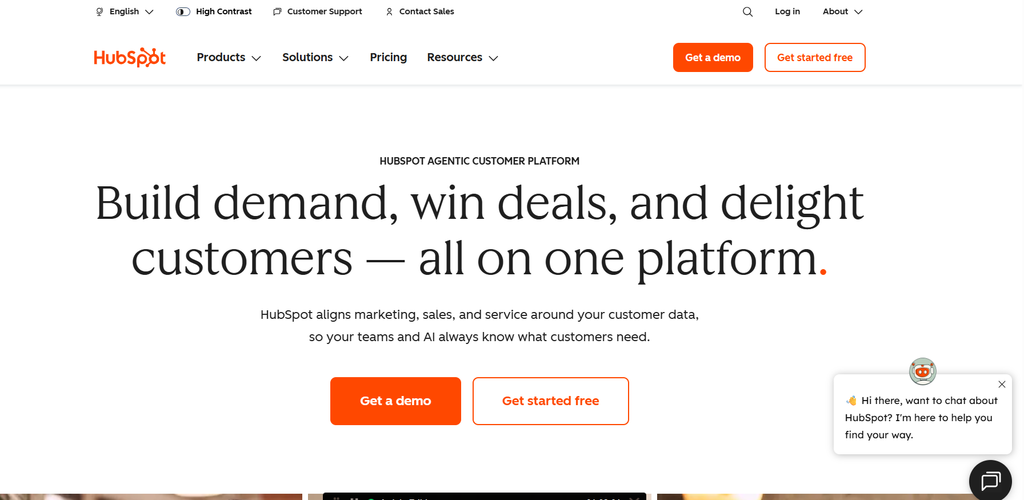
HubSpot fits B2B teams that want CRM, marketing automation, forms, email, and lifecycle reporting inside one broadly accessible system — particularly while operational complexity is still moderate and no one on the team wants to maintain five integrations.
Its real strength is as a shared workspace. Marketing runs lead capture and nurture, sales works deals in the same object model, and both look at lifecycle stages that mean the same thing to each side. That alone resolves a surprising amount of alignment friction. Teams can run capture, nurture, pipeline tracking, and basic attribution without stitching together four entry-level tools that each own a fragment of the record.
The trade-off is honest and well documented by anyone who has scaled on it. Advanced reporting, custom objects, granular permissions, and high-volume marketing operations push you up tiers, and administration grows with them. HubSpot also tracks known contacts well, but precise website visitor identification for anonymous traffic generally needs a specialist tool alongside it.
Key features
- CRM, deal pipelines, lead lifecycle stages, and sales sequences
- Marketing email, forms, landing pages, workflows, and campaign reporting
- Shared sales-and-marketing data model for unified reporting
- Large integration marketplace
Best fit: Growth-stage B2B teams consolidating several disconnected tools.
Watch-outs: Hub-by-hub pricing, contact-tier escalation, and feature gating by plan.
Pricing: Free CRM available; paid Sales Hub and Marketing Hub plans vary by tier, seats, and marketing contacts.
Link: hubspot.com
Judge HubSpot on whether it can become your operational source of truth. Anything can send an email.
Salespanel
Salespanel suits B2B teams that need to convert website activity into usable sales signals — identifying the companies behind anonymous traffic, tracking individual journeys where identity is available, scoring intent against fit, and pushing prioritized activity into the CRM or sales workflow where reps already live.
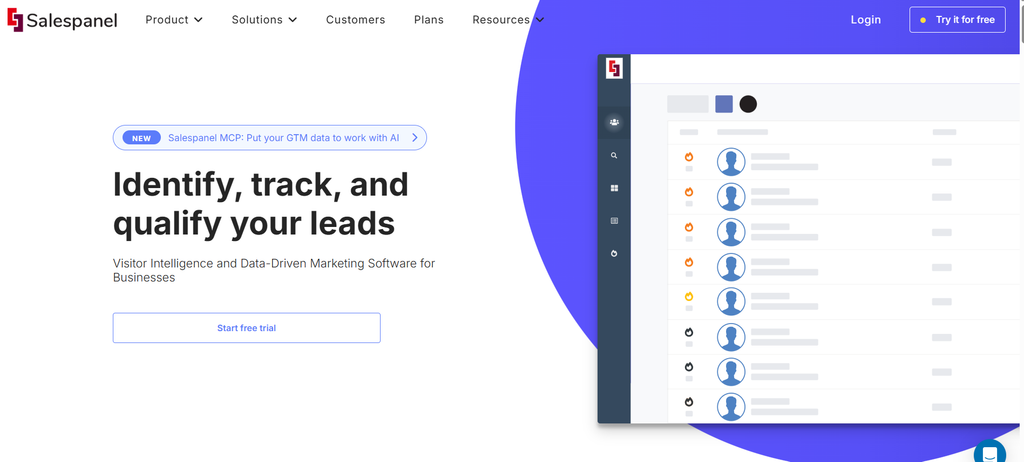
Start with the outcome rather than the feature list. A rep opens their morning queue and sees that a named target account returned for the third time this week, spent time on the pricing page and the integrations documentation, and crossed the behavioral threshold your team defined as sales-ready. That happens before anyone does manual research, and before the form is filled. Suppose there is no form fill at all — which is increasingly common in B2B, where buyers self-educate long before they identify themselves. First-party B2B visitor identification is what keeps that account from disappearing into an unattributed session count.
Where Salespanel differs from the other tools here matters. It is not a system of record, and it is not a contact database you buy lists from. It does not replace HubSpot or Salesforce, and it does not replace Apollo’s prospect coverage. What it owns is making first-party website visitor tracking actionable for marketing, SDRs, and RevOps — the layer between traffic and CRM that most stacks leave empty.
Key features
- Website visitor and account identification
- Real-time activity tracking across pages, campaigns, and conversion events
- Lead and account scoring based on firmographic fit and behavior
- CRM, Slack, Zapier, and workflow integrations
- Custom routing for high-intent leads and account alerts
Best fit: B2B teams with meaningful website traffic that need faster follow-up on in-market accounts.
Watch-outs: Identification rates vary by traffic mix, consent configuration, geography, and how much of your target-account list is actually visiting. Validate against your own traffic during a trial rather than a vendor benchmark.
Pricing: Plans and usage limits vary by identified visitors, features, and team size. Link: salespanel.io
A mini evaluation scenario worth running: take 30 days of your traffic and count three things — high-fit account alerts generated, CRM records created or enriched, and sales follow-ups that actually happened as a result. Raw identified-visitor volume is the easiest number to inflate and the least useful one to compare. See the lead scoring software side of the setup before you judge the identification side.
Apollo.io
Apollo.io is built for teams that need prospect data and outbound execution in the same place. That makes it the right diagnosis when your pipeline gap comes from insufficient target-account coverage rather than weak inbound conversion.
The workflow is straightforward and fast to stand up: build a list with firmographic and role filters, enrich it with contact details, load sequences, and track outreach activity against replies. For SDR teams and founder-led outbound programs that need motion this quarter, that consolidation is the appeal.
Two limitations deserve attention before a rollout. Contact data accuracy varies meaningfully by region and job function, so sample it rather than trusting database-size claims. And outbound volume proves nothing about account intent — a 40% open rate with a 1% reply rate usually means the targeting is wrong, not the copy. You still need CRM governance and deliverability controls on your side.
Key features
- B2B contact and company database
- List building, enrichment, and buying-signal filters
- Email sequences, dialer, and outreach analytics
- CRM integrations and workflow connections
Best fit: SDR-led teams building repeatable outbound prospecting motions.
Watch-outs: Verify data quality in your priority regions and job functions; monitor deliverability before scaling volume.
Pricing: Free plan available; paid plans typically priced per user with credit and feature limits.
Link: apollo.io
Pull a 100-record sample and verify it manually before you compare database sizes with any vendor. Ten minutes of that beats a week of reading feature pages.
6sense
6sense is built for larger B2B organizations that want marketing and sales to prioritize accounts using a blend of intent, engagement, and predictive signals rather than rep intuition.
Its strongest use case is coordination. When the buying committee spans six people across product, finance, and IT, and each one touches a different channel, 6sense gives ABM marketers, SDRs, and AEs a shared view of which accounts are in-market and which stage they appear to be in. That coordination is genuinely hard to replicate with point tools.
The caveat is organizational rather than technical. 6sense expects defined ICP tiers, disciplined CRM data, documented account ownership rules, and enough program volume to justify the rollout. Deployed into a messy CRM without those foundations, it produces prioritized accounts nobody owns.
Key features
- Account identification and engagement monitoring
- Third-party intent and predictive account prioritization
- ABM audience activation and advertising workflows
- Sales alerts and account insights
Best fit: Mid-market and enterprise teams with named-account strategies and dedicated ABM or RevOps resources.
Watch-outs: Custom pricing, implementation scope, and the gap between an intent score and a rep action.
Pricing: Custom.
Link: 6sense.com
The metric we would hold it to: how many prioritized accounts received a documented sales action within 48 hours. Intent-data volume is not an outcome.
Adobe Marketo Engage
Adobe Marketo Engage is designed for B2B marketing teams running complex nurture, lifecycle, and campaign operations across long buying cycles and large databases.
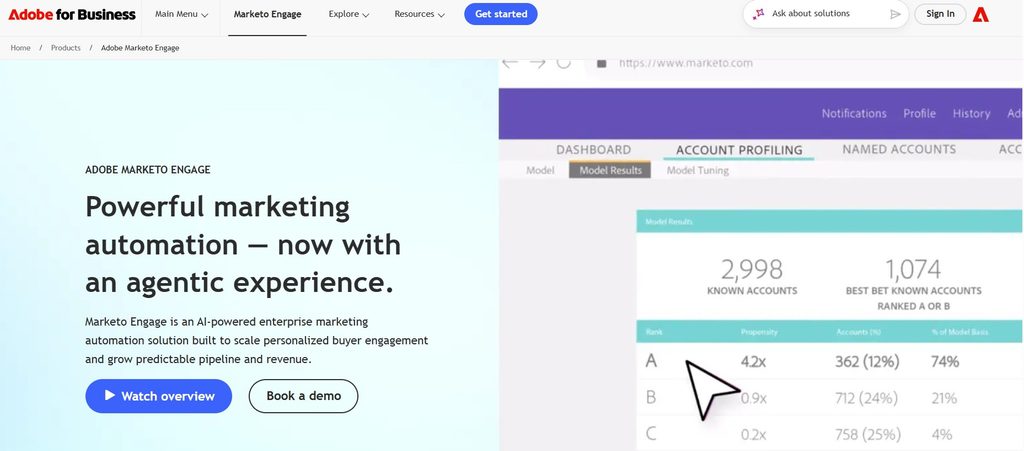
Its depth shows in lead management. Multi-branch nurture logic, granular segmentation, scoring models that account for both fit and decay, lifecycle stage enforcement — these hold up at a scale where lighter automation tools start requiring workarounds. Organizations with established Salesforce administration and a real marketing ops function get the most out of it, because that is who it was designed around.
Be equally clear about the operating cost. If your campaigns are simple, your database hygiene is poor, or no single person owns program architecture, Marketo Engage will be more system than the team can run. The build capability and the operating capability are separate questions.
Key features
- Multi-step nurture programs and marketing automation
- Lead scoring, segmentation, and lifecycle management
- Salesforce synchronization and revenue attribution capabilities
- Enterprise governance and campaign operations
Best fit: Enterprise B2B teams with dedicated marketing operations and complex nurture requirements.
Watch-outs: Implementation expertise, database governance, custom pricing.
Pricing: Custom.
Link: business.adobe.com/products/marketo.html
Clay
Clay helps growth and RevOps teams enrich, research, and transform prospect or account data through flexible workflows. It earns its place when standard enrichment fields stop being enough — when you need to know whether a company runs a specific technology, hired a particular role last quarter, or matches a qualification rule that no vendor ships out of the box.
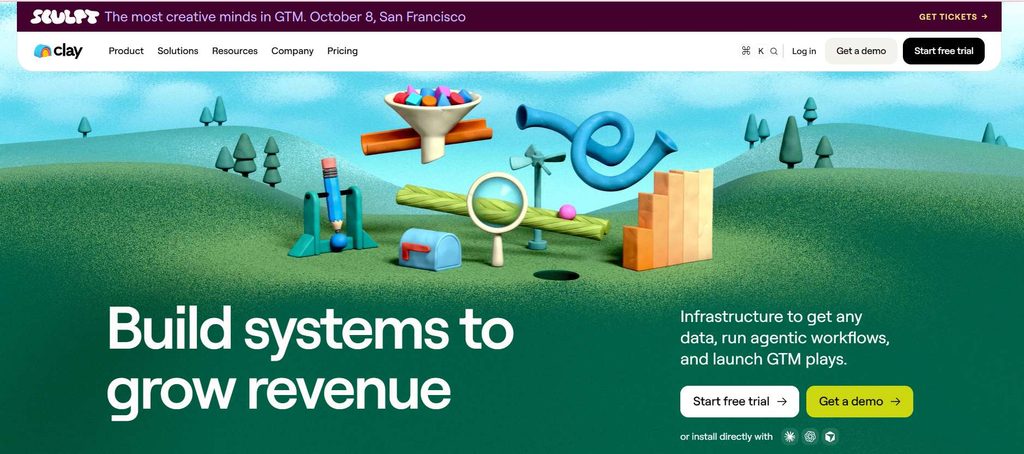
Think of it as a workflow layer sitting between data sources and downstream tools. Clay does not replace a CRM, and it does not run your nurture programs. It combines providers, applies logic, qualifies accounts, generates research for personalization, and writes enriched records into whatever executes the outreach.
That flexibility cuts both ways. Without shared templates, agreed field definitions, and someone reviewing workflow logic, teams end up with inconsistent data and credit consumption nobody predicted. Governance is the deciding factor here more than capability.
Key features
- Multi-source enrichment and data transformation
- Automated account research and personalization workflows
- CRM and outbound-tool data activation
- AI-assisted workflow steps
Best fit: Growth engineers and RevOps teams with clear enrichment use cases and an owner for workflow logic.
Watch-outs: Credit usage, duplicate-record controls, data-source compliance.
Pricing: Paid plans with usage-based credits.
Link: clay.com
The comparison metric most reviews skip: cost per sales-accepted enriched account. Cost per credit is a procurement number, not a performance one.
Qualified
Qualified is for B2B teams that want to convert high-value website visits into live sales conversations — specifically where account executives can respond to target accounts within minutes.
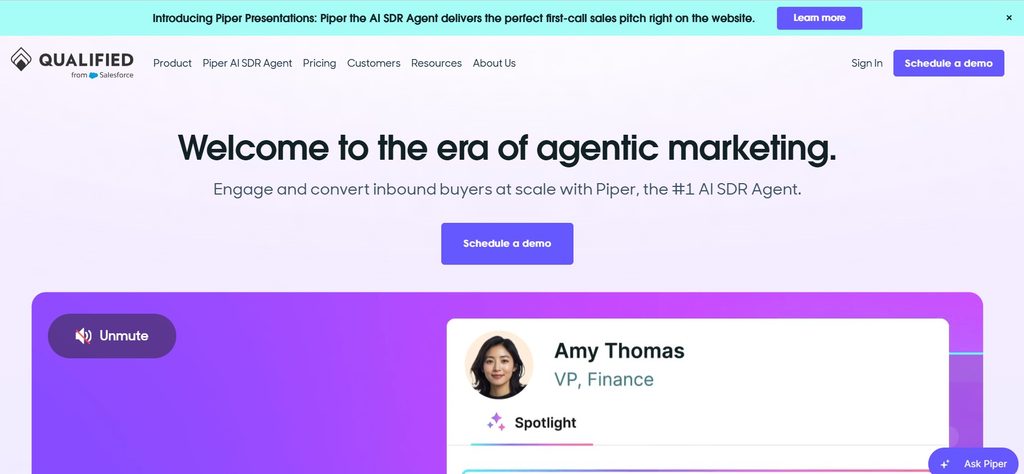
The mechanism is simple and effective when conditions are right. An account you care about lands on a high-intent page, routing recognizes it, the owning rep gets pulled into a conversation, and a meeting is booked without the form-to-SDR-to-AE relay that typically costs two or three days. For high-consideration products with short attention windows, that compression is real.
The constraint is equally real. Chat will not compensate for thin traffic, loose targeting, or reps who answer 40 minutes later. Coverage hours and fallback nurture paths need to exist before launch, otherwise the widget becomes an unstaffed support inbox.
Key features
- Website chat and meeting conversion workflows
- Account-based routing and rep alerts
- Salesforce-focused workflows and pipeline reporting
- Conversational qualification experiences
Best fit: High-consideration B2B companies with enough qualified traffic and live sales coverage.
Watch-outs: Rep availability, routing accuracy, and proving incremental meetings rather than cannibalized form fills.
Pricing: Custom.
Link: qualified.com
Run an incrementality test before renewal. Compare meeting rates for target accounts exposed to chat against a comparable period or a matched page group without it. Otherwise you are measuring attribution reshuffling.
Build a Shortlist Based on the Revenue Problem You Need to Fix
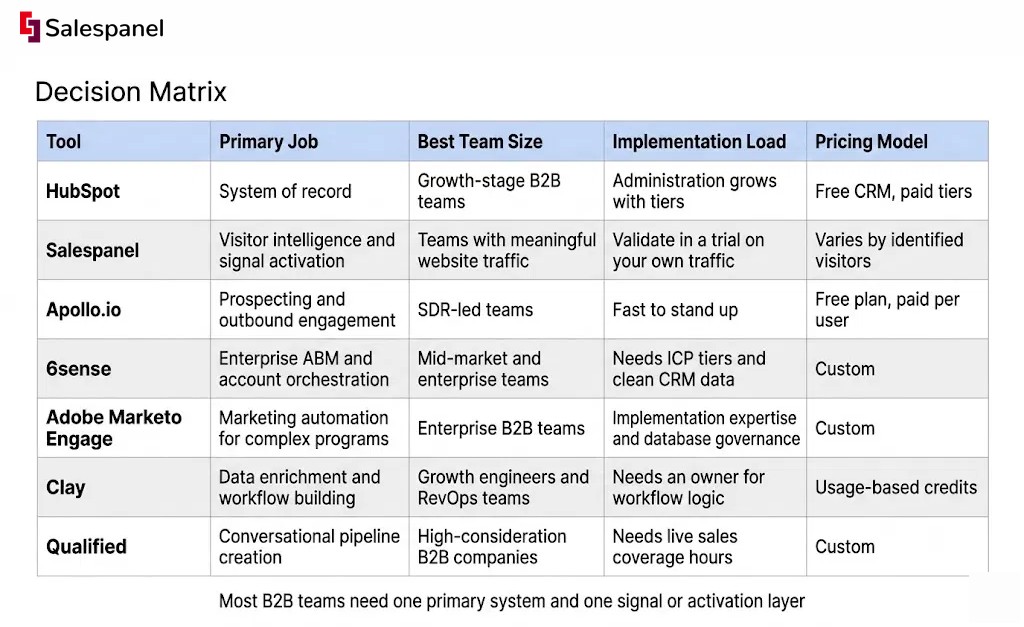
Most B2B teams need one primary system and one signal or activation layer on top of it. Seven overlapping subscriptions is a symptom, usually of buying tools before naming the broken workflow.
Map your problem to a starting point:
- Shared CRM and marketing foundation → HubSpot
- Website intent signals routed to sales → Salespanel
- Outbound contacts and sequencing → Apollo.io
- Enterprise account orchestration → 6sense
- Complex nurture operations → Adobe Marketo Engage
- Custom enrichment workflows → Clay
- Live conversations from target accounts → Qualified
Three combinations we see work in practice:
HubSpot + Salespanel for CRM-led inbound teams. HubSpot owns records, forms, and lifecycle; Salespanel identifies the accounts behind anonymous sessions and scores behavior into it. Check the CRM integrations before you plan the field mapping.
Salesforce + Marketo Engage + Salespanel for enterprise lifecycle marketing that still needs website-signal routing. Marketo runs the programs, Salesforce holds the record, Salespanel supplies the real-time first-party behavior that neither captures for unknown visitors.
Salesforce or HubSpot + Apollo.io + Clay for outbound-focused teams that need stronger data workflows than a single database provides.
One rule worth writing down: do not buy both until the prerequisite exists. Specifically, do not add predictive ABM software until CRM account ownership and ICP tiers are documented. The software will surface accounts perfectly well; without ownership rules, nothing happens next. The same logic applies to conversational chat before you have sales coverage hours, and to enrichment platforms before anyone owns field definitions. Most of this is a sales-and-marketing alignment problem wearing a procurement costume.
A 30-Day Evaluation Plan Before You Sign a Contract
A credible evaluation measures whether the product creates more qualified actions in 30 days. Dashboard count in a demo is not evidence of anything.
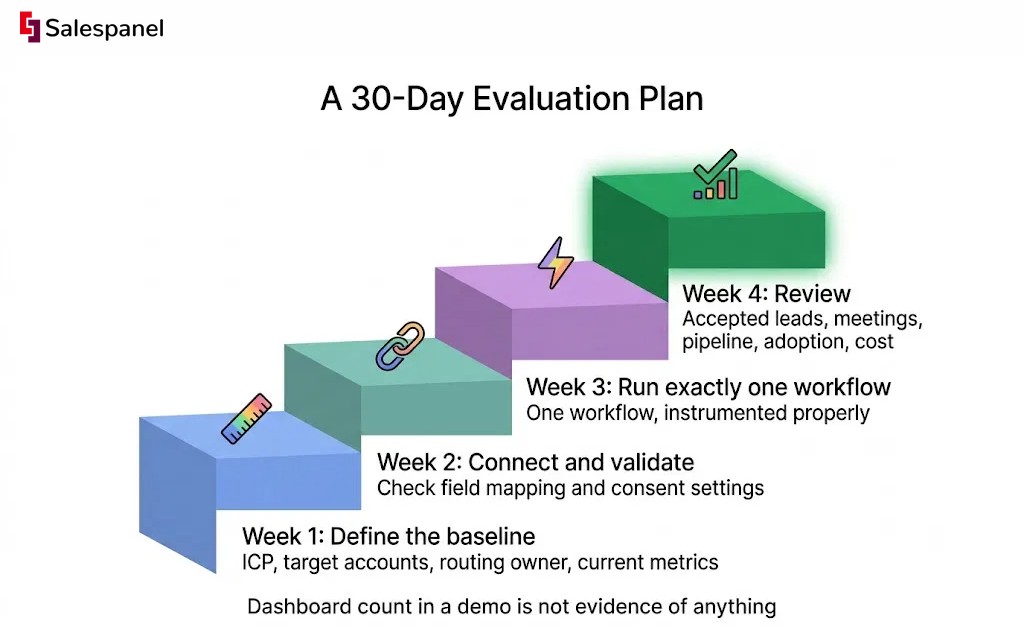
Week 1 — Define the baseline. ICP definition, target account list, lifecycle stages, the routing owner by name, and current metrics for qualified leads, meetings, and time-to-follow-up. Skipping baselines is why so many pilots end in a debate about whether anything improved.
Week 2 — Connect and validate. CRM plus website or outreach data. Check field mapping record by record and confirm consent settings before any volume runs through.
Week 3 — Run exactly one workflow. For example: alert an SDR in Slack when a target account crosses a score threshold. One workflow, instrumented properly, tells you more than five half-configured ones.
Week 4 — Review. Accepted leads, meetings, pipeline created, actual adoption by reps, false positives, and the true operating cost.
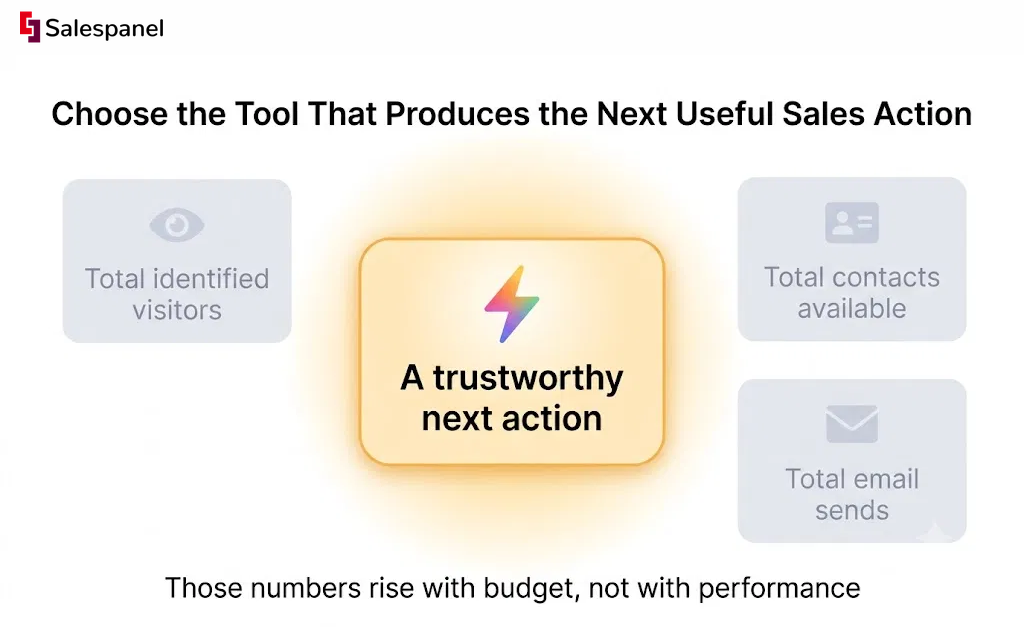
Score five measurable fields: qualified accounts surfaced, sales actions completed, meeting conversion, CRM record quality, and cost per accepted opportunity. Deliberately ignore total identified visitors, total contacts available, and total email sends when viewed in isolation. Those numbers rise with budget, not with performance.
The habit that improves results fastest: require a disqualification reason on every rejected alert or lead during the trial. Wrong industry, wrong region, existing customer, competitor research, job seeker. After 30 days you have a labeled dataset explaining exactly where your scoring is wrong, which is far more useful than lowering thresholds and hoping. Structured lead-routing rules get built from those reasons.
FAQ: Comparing Sales and Marketing Tools for B2B Teams
What is the best way to compare sales marketing tools for B2B teams?
B2B teams should compare sales and marketing tools by the revenue workflow each product improves, such as CRM management, visitor identification, outbound prospecting, ABM, nurture automation, or live chat conversion. A useful trial measures qualified sales actions, meetings, CRM data quality, and operating cost — not feature count or contact volume.
Do B2B teams need both a CRM and a visitor intelligence tool?
A CRM stores accounts, contacts, deals, and sales activity, while visitor intelligence tools identify website activity and turn engagement into routing or scoring signals. B2B teams need both when the CRM cannot show which target accounts are actively researching the website before they submit a form or speak with sales.
Which tool is better for inbound B2B lead generation: HubSpot or Salespanel?
HubSpot is stronger for managing CRM records, forms, marketing automation, and lifecycle campaigns. Salespanel is stronger for identifying website visitors and accounts, scoring behavioral activity, and alerting sales about high-intent engagement. Many inbound B2B teams use HubSpot as the system of record and Salespanel as the visitor-intelligence layer feeding it.
How should B2B teams evaluate account intent data?
B2B teams should evaluate account intent data by testing whether prioritized accounts produce timely sales actions, qualified meetings, and pipeline. During a 30-day pilot, teams should inspect false positives, compare signals against CRM ownership and ICP fit, and record why sales accepts or rejects each recommended account.
What should B2B teams include in tool pricing comparisons?
B2B teams should compare total operating cost, including user seats, marketing contacts, enrichment credits, identified visitor limits, implementation services, required integrations, and contract minimums. A low entry price can become expensive when data volume grows or when critical workflows require higher-tier plans and paid add-ons.
Choose the Tool That Produces the Next Useful Sales Action
The strongest sales-and-marketing tool is the one that hands the right person a trustworthy next action at the moment an account shows meaningful buying behavior. Everything else in the evaluation is secondary to that.
So the selection sequence holds: name the broken workflow first, run a 30-day pilot with real numbers attached, validate data quality against records you can personally verify, and put the tool in front of the reps who will use it rather than only the admins who will configure it. Admin enthusiasm and rep adoption are different signals, and only one of them shows up in pipeline.
If you already have traffic but cannot see or prioritize the companies behind it, that is the gap worth closing before you add another system of record or another database subscription. Salespanel is worth evaluating alongside your CRM and automation stack specifically for that layer.
See which high-intent accounts are already visiting your website — start a Salespanel trial or request a demo using your own traffic, your own scoring rules, and your existing CRM workflow.
Sell more, understand your customers’ journey for free!
Sales and Marketing teams spend millions of dollars to bring visitors to your website. But do you track your customer’s journey? Do you know who buys and why?
Around 8% of your website traffic will sign up on your lead forms. What happens to the other 92% of your traffic? Can you identify your visiting accounts? Can you engage and retarget your qualified visitors even if they are not identified?