15 Best Website Visitor Tracking Software for B2B in 2026
If you are eager to turn your website into a lead-generation machine, you have likely already faced one or more of these challenges:
- Anonymous visitors leaving without a trace, making it hard to know who’s truly interested in your products or services,
- Limited visibility into user journeys, which leaves you guessing about which touchpoints are influencing conversions and which are leading to funnel drop-offs,
- Siloed data across multiple platforms, making it difficult to consolidate insights and act quickly on emerging customer trends or buying signals.
Tracking website visitors can feel like fishing in murky waters—you know opportunities are there, but it is difficult to see who’s behind the traffic and how to engage them effectively. This is where implementing website visitor tracking software can help!

Visitor tracking tools are designed to reveal who’s browsing your website, analyse their journeys and behaviours, and deliver actionable insights that fuel smarter marketing, sales alignment, and customer engagement. With integrations and AI-powered analytics, today’s leading visitor tracking platforms make it easier than ever to connect data with impactful business decisions.
In this article, we will review the top 15 website visitor tracking software in 2026. We will also share the benefits of investing in such tools and the key steps you should take when evaluating them—so you can choose the best fit for your business.
15 Best Website Visitor Tracking & Identification Software: Quick Overview

Take a quick glance at the website visitor identification tools we will review in this article:
| Software | Best For | Pricing |
|---|---|---|
| Salespanel | Company-level website visitor identification, real-time lead tracking, target account alerts and marketing revenue attribution | Plans start at $99 per month. 14-day free trial available. |
| RB2B | Real-time, Person-level website visitor identification | Plans start at $0 per month. 7-day free trial available. |
| Lead Forensics | Legacy visitor data enrichment (EU-focused) | Pricing upon request. Free trial available. |
| Factors.ai | Signal-based website visitor deanonymization and automated, AI-driven outreach | Plans start at $0 per month. No free trials available. |
| ZoomInfo WebSights | Company-level website visitor identification and enterprise GTM-focused sales operations | Pricing upon request. Free trial available. |
| Hotjar | User feedback collection for data-driven UX improvements | Plans start at $0 per month. No free trials available. |
| Mouseflow | Funnel analysis and user journey mapping | Plans start at $0 per month. 14-day free trial is available for the Advanced plan. |
| Heap | Customer journey tracking without a manual setup | Plans start at $0 per month. 14-day free trial is available for all paid plans. |
| Mixpanel | Product analytics and website events tracking | Plans start at $0 per month. No free trials. |
| Amplitude | User behavior analysis, real-time events tracking, and feature experimentation | Plans start at $0 per month. No free trials. |
| Google Analytics 4 | Visitor activity-based data collection and analysis across websites and applications | Free |
| SimilarWeb | Competitive intelligence gathering and market analysis | Plans start at $199 per month. 7-day free trial account available. |
| Matomo (formerly Piwik) | Privacy-friendly user activity tracking across websites and applications | Plans start at $29 per month. 21-day free trial available. |
| Fathom Analytics | Real-time, privacy-focused website analytics | Plans start at $15 per month. 7-day free trial available. |
| Adobe Analytics | Real-time unified customer analytics across data, content, and user journeys | Pricing upon request. No free trials available. |
However, before we jump into the detailed reviews, let’s understand what a website visitor tracking software is.
What is Website Visitor Tracking Software?

Website visitor tracking software an applications that identify and track individual or company accounts as they browse your website. These tools identify visitor characteristics, behaviours, and engagement patterns to help businesses generate and prioritise leads, enhance marketing efforts, improve user experiences, and ultimately drive more sales.
However, website visitor tracking often has different meanings for different businesses. To make it easy for your understanding, we have categorised them into the following categories:
What are the Different Types of Website Visitor Tracking Software? How Do Each of Them Work?
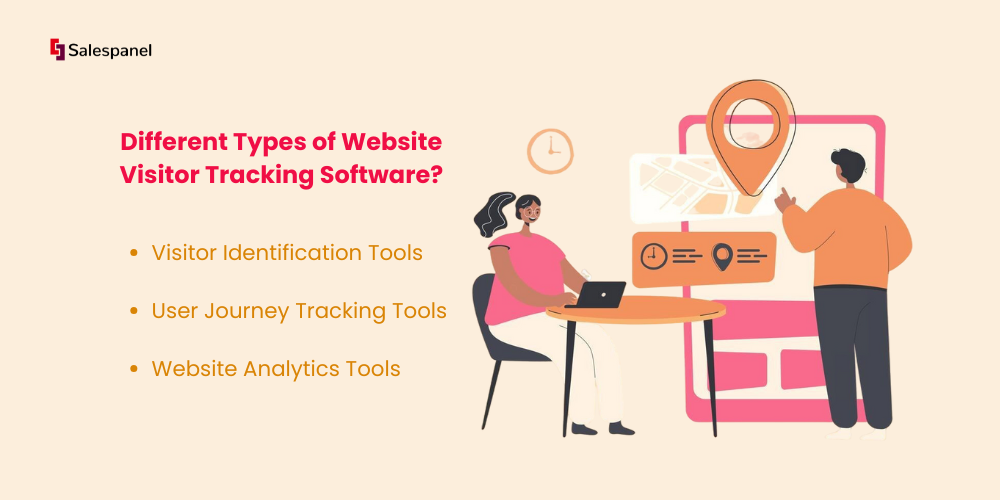
Visitor Identification Tools
These tools reveal who has visited your website (typically at the individual or company level).
They do this by tracking IP addresses, cookies, or form submissions, then matching them with contact or business databases, allowing sales and marketing teams to identify leads and prioritize prospects.
Examples: Salespanel, Lead Forensics, and Factors.ai.
User Journey Tracking Tools
These tools track the way visitors navigate your website, including clicks, scrolls, page visits, and other interactions.
They do this by creating a visual representation of the customer journey, helping you identify points of friction, make improvements to your site’s structure, and enhance the user experience.
Examples: Hotjar, Mouseflow, and Amplitude.
Website Analytics Tools
These tools provide detailed data on your website traffic and user engagement.
They do this by collecting data through tracking codes or scripts and reporting on metrics, such as page views, time spent on page, traffic sources, demographics, and more, which you can then use to inform your business and marketing decisions.
Examples: Google Analytics 4, Matomo, and Adobe Analytics.
Top 15 Website Visitor Tracking Tools in 2026
Here are the reviews for the fifteen best website visitor tracking tools in 2026—with details about their key features, integrations, pricing, and pros and cons.
1. Salespanel
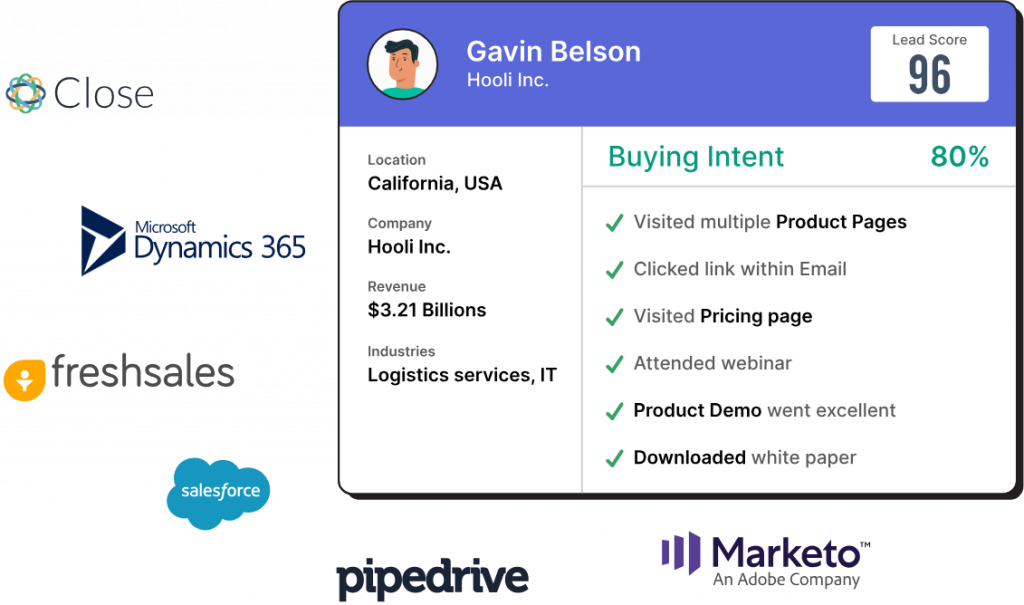
Salespanel is our proprietary B2B visitor intelligence software that helps sales and marketing teams identify visitor accounts at the individual level with high accuracy and reveal their buying intent to ensure that your pipeline is populated with high-value leads.
Salespanel tracks website visitors from the first visit and captures referrer, campaign, and event data in real-time. Once users are identified through web forms, live chat, or other interactions, they are mapped to their corresponding customer journey.
Note: Anonymous visitors are mapped to their companies.
Moreover, all data feeds into Single Customer Views for lead qualification, personalisation, retargeting, sales enablement, and analytics. The software also offers customer journey tracking, lead qualification and scoring, and robust marketing analytics capabilities.
Standout Features of Salespanel:
- Account Reveal: Deanonymizes person-level B2B accounts with a whopping 67%+ match-rate to help you understand the efficacy of your marketing campaigns and identify high-value accounts the minute they enter your funnel.
- Deep Tracking: Presents a thorough overview of every visitor touchpoint, including the lead source and other marketing attributes, and tracks a user’s journey across platforms and domains, in tandem with first-party cookies.
- Lead Qualification: Segments leads based on demographics, firmographics, and online behaviours and scores them using advanced automated workflows to fill your pipeline with sales-ready prospects’ data that syncs across existing products in your tech stack.
- Marketing Analytics: Computes the impact of attributes (custom dimensions) and activities (custom events) on customer journeys in real-time to provide instant feedback on purchase intent, which helps you run targeted marketing campaigns. The analytical engine also generates customised reports for measuring campaign performance.
Integrations: Salesforce, Pipedrive, Hubspot, Zoho, Mailchimp, Slack, Team, Webhooks, Calendly, Zapier, Linkedin, Google BigQuery, and more.
Pricing: Salespanel offers three pricing packages: Customer Data Platform (starting at $99/month for up to 10,000 visitors per month), Account Reveal (starting at $99/month for up to 2,000 visitors per month), and Agents (starting at $499/month for custom volume). It also offers a 14-day free trial for new users.
Pros:
- Real-time lead tracking across multiple channels and domains
- Intuitive UI and responsive customer support
- Privacy-first visitor tracking, compliant with GDPR guidelines
- Competitive global dataset for ABM
Cons:
- Occasional performance lags may be observed
- The reporting structure may seem complex
- Lack of browser extension support for Opera and Firefox
2. RB2B
RB2B is a website intelligence and pipeline acceleration platform that helps B2B sales and marketing teams identify high-value prospects and their interests, enabling them to tailor their outreach and messaging around real buying signals, for maximum impact.

Standout Features of RB2B:
- Hot Pages: Shows exactly which accounts are exploring your website’s pricing page, case studies, or product demos, ensuring your sales reps prioritise the most qualified prospects and tailor their messaging to specifically match their intent.
- Hot Leads: Enables marketers and salespeople to filter out visitors using criteria such as their company name, size, revenue, seniority, department, category, and geography.
- Traffic Insights: Provides a detailed breakdown of your website visitors by page, company size, industry, job title, and more. It also tracks campaign UTMs to determine which channels are driving the most qualified leads—SEO, email, or social media.
Integrations: HubSpot, Salesforce, Reply.io, Instantly, Clay, Apollo.io, Slack, Zapier, and more.
Pricing: RB2B offers a Free plan with 150 credits per month and a Pro+ plan that starts at $149/month for 300 credits and extends up to 10,000 credits per month. The latter also offers a 7-day free trial for new users to explore the platform’s features.
Pros:
- Fast and easy setup, ideal for non-technical users
- Real-time insights delivered via Slack alerts
- Person-level visitor identification, including LinkedIn profiles
Cons:
- The data available may be outdated sometimes
- Limited to tracking US visitors only
- Credit-based pricing can escalate quickly
3. Lead Forensics
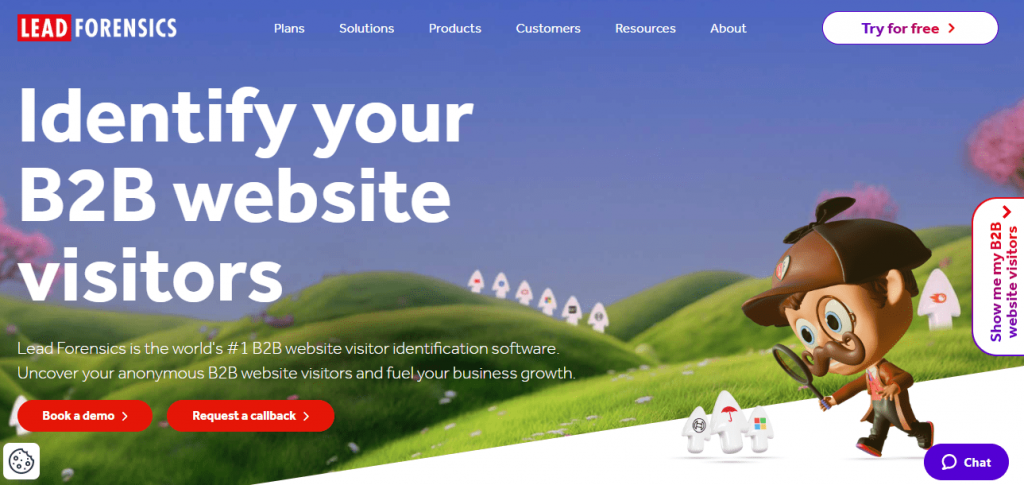
Lead Forensics is a legacy website visitor identification platform that reveals companies visiting your site, even when they don’t submit a form. It is designed for B2B sales and marketing teams that want to get deeper insights into buyer intent and uncover hidden opportunities.
Standout Features of Lead Forensics:
- Visitor Account Identification: Reveals the company accounts browsing your website, even if they don’t fill out a form, by matching IP addresses to company data.
- Real-Time Lead Alerts: Sends instant notifications when target accounts visit your website, enabling timely follow-ups and personalised outreach.
- Detailed Visitor Insights: Provides firmographic and behavioural data, such as company size, industry, location, and pages viewed, helping prioritise prospects based on intent.
Integrations: Salesforce, Microsoft Dynamics, HubSpot, LinkedIn, Clearbit, Slack, Microsoft Teams, Zapier, and more.
Pricing: Lead Forensics offers two pricing tiers: Essential (for small and mid-sized businesses) and Automate (for large-scale enterprises). Specific quotes are available upon request. It also offers a free trial, but you have to get in touch with their sales team to access it.
Pros:
- Real-time lead alerts and detailed visitor data available
- Intuitive and user-friendly interface
- Has its own IP matched database, covering 1.4 billion IPs
Cons:
- Does not provide individual-level visitor details
- High cost and long contract terms
- Steep learning curve for non-technical users
4. Factors.ai
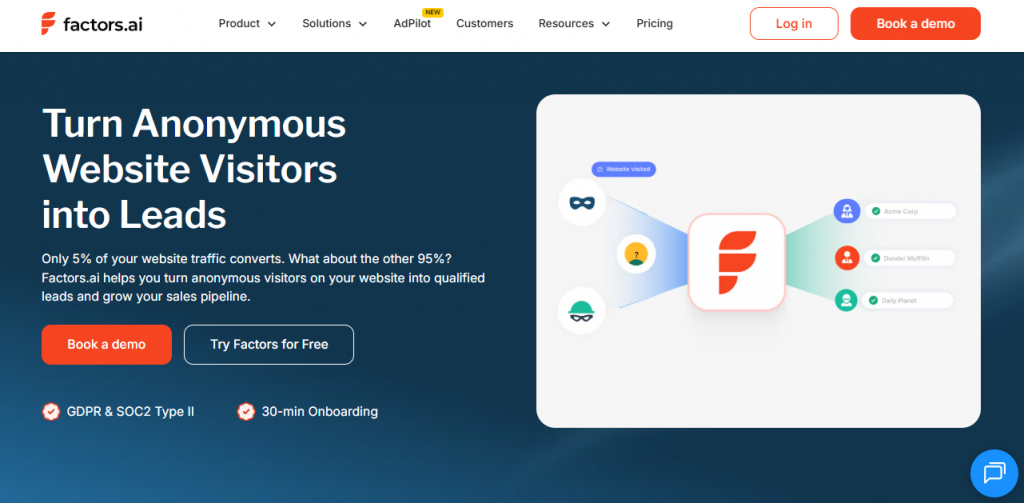
Factors.ai is a B2B marketing and visitor analytics platform that unifies rich intent signals from various channels in one place, enabling companies to understand how their marketing efforts impact pipeline growth and revenue generation.
Standout Features of Factors.ai:
- Anonymous Visitor Identification: Reveals more than 75% of anonymous accounts visiting your website, helping revenue teams focus on prospects with high intent.
- Journey Analytics: Tracks the overall buyer journey across channels and touchpoints, providing insights about how prospects engage with your business before they convert.
- Revenue Attribution: Connects marketing activities to actual pipeline and revenue, enabling GTM teams to identify which campaigns are creating real value.
Integrations: HubSpot, Pipedrive, Salesforce, Slack, Google Analytics, ActiveCampaign, Google Ads, and more.
Pricing: Factors.ai offers four pricing tiers, starting with the Free plan, followed by the Basic, Growth, and Enterprise plans. Specific quotes are available upon request. No free trials are available for the paid plans.
Pros:
- Unified view of ads, website, marketing automation, and CRM data
- Provides unsampled web analytics for higher data accuracy
- Intuitive and user-friendly interface, perfect for non-technical users
Cons:
- Limited integrations with third-party applications
- No easy way to share dashboards externally
- Lack of advanced report customisation options
5. ZoomInfo WebSights
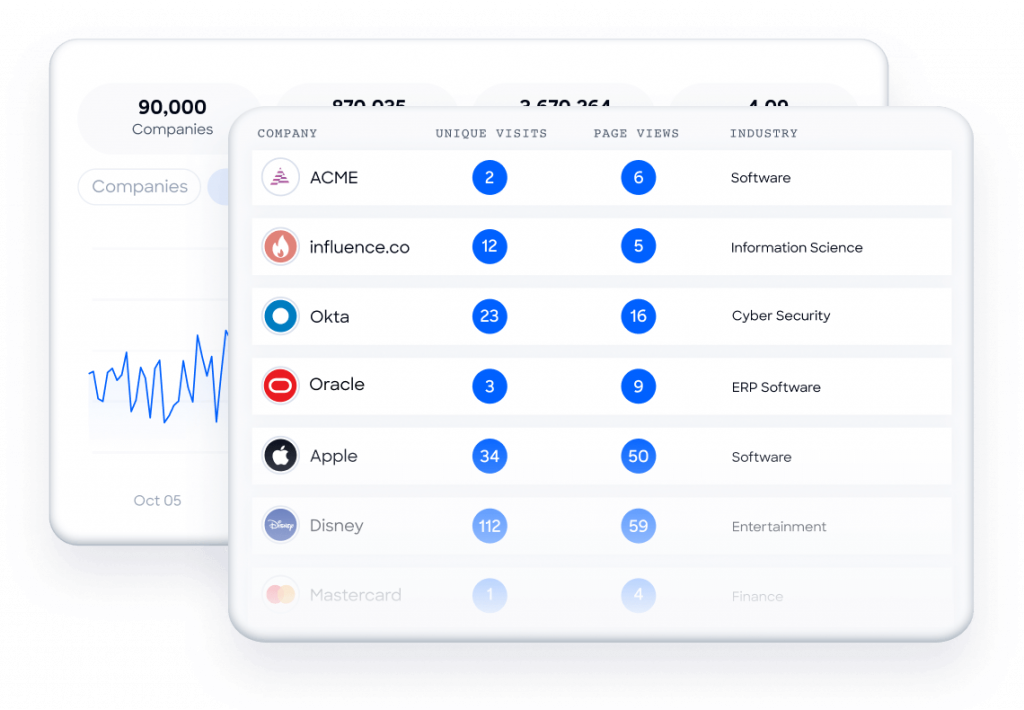
ZoomInfo WebSights is a B2B visitor identification and data enrichment tool that helps uncover both individual and company accounts browsing your website. It is designed for B2B sales and marketing teams seeking to uncover hidden buying intent and prioritise high-value prospects.
Standout Features of ZoomInfo WebSights:
- Advanced Visitor Identification: Provides detailed insights on both individual and company accounts, enabling sales and marketing teams to prioritise outreach, customise follow-ups, and accelerate deal cycles.
- Intent Signal Detection: Highlights visitor behaviours and engagement patterns that indicate buying intent, helping GTM teams focus on prospects most likely to convert.
- Plug-and-Play Integrations: Syncs data seamlessly across CRMs and other marketing automation platforms using automated workflows that streamline everything from contact and account creation to sales outreach and digital advertising.
Integrations: Salesforce, HubSpot, Marketo, Pardot, Outreach, SalesLoft, Slack, and more.
Pricing: ZoomInfo WebSights is bundled into the Marketing package offered by the ZoomInfo platform. Specific quotes are available upon request. It also offers a free trial.
Pros:
- Sends real-time alerts for high-intent visitors
- Supports privacy compliance requirements
- Quick and easy setup using a simple tracking pixel
Cons:
- Limited details on visitor behaviors
- Technographic data may be inconsistent sometimes
- Clunky UI leads to a complex onboarding experience
6. Hotjar
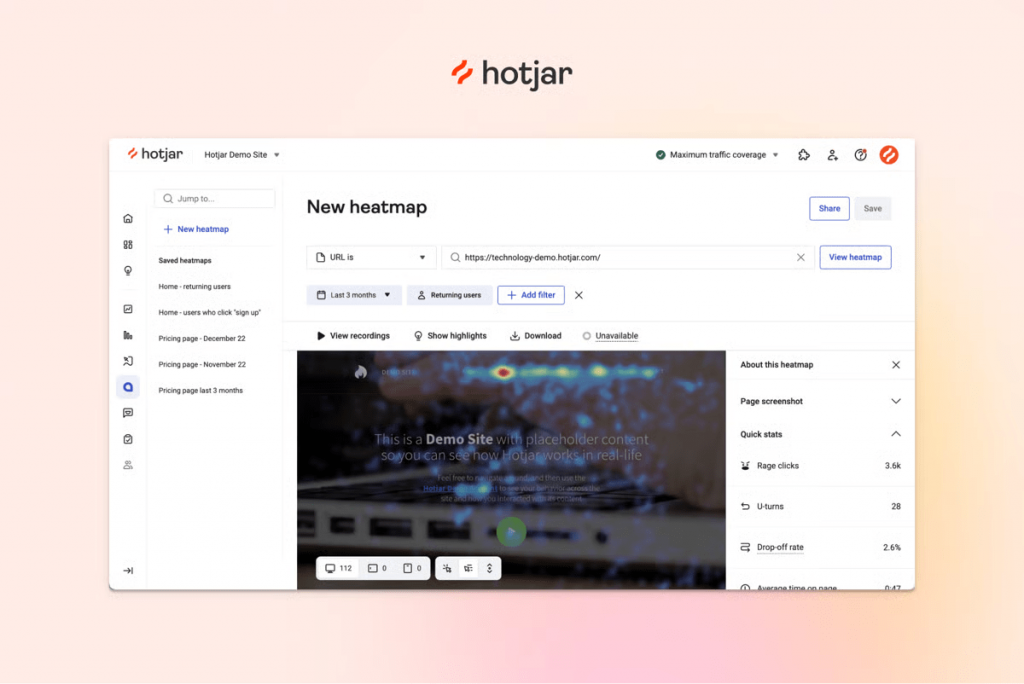
Hotjar is one of the most popular customer journey tracking tools, enabling marketers, product managers, and UX designers to uncover user behaviour patterns and make data-driven improvements to enhance customer experiences.
Standout Features of Hotjar:
- Heatmaps: Provide a visual breakdown of the user journey by showing how users click, scroll, and move across a webpage, highlighting areas of low and high engagement.
- Session Recordings: Offers real-time replays of individual visitor activities as they navigate your site, enabling teams to spot friction points that might cause drop-offs.
- AI-Powered Surveys: Empowers GTM teams to collect direct feedback from visitors using customizable on-site questionnaires and widgets that provide contextual insights on user actions and why they behave in certain ways.
Integrations: Google Analytics, HubSpot, Shopify, WooCommerce, Slack, Microsoft Teams, Zapier, Optimizely, and more.
Pricing: Hotjar offers four pricing tiers, starting with the Free plan, followed by the Plus (starting at $32/month), Business (starting at $80/month), and Scale (starting at $171/month) plans. No free trials are available for the paid plans.
Pros:
- Combines behaviour tracking with direct user feedback
- Simple setup with a beginner-friendly interface
- Free tier and modest pricing make it perfect for small teams and startups
Cons:
- Tracking scripts can slow down website performance
- The free plan has a limited scope of features
- Limited advanced analytics and reporting capabilities
7. Mouseflow
Mouseflow is a behaviour analytics tool that provides marketers, product teams, and UX professionals with the ability to identify funnel drop-offs and improve user experiences.
Standout Features of Mouseflow:
- Session Replays: Records user sessions in real time that showcase the exact user path—clicks, scrolls, drop-offs, and more—page by page, helping you identify areas for optimisation based on actual user behaviours.
- Form Analytics: Tracks how users interact with your website’s forms, including when they hesitate or drop off, providing insights that help you optimise form conversions.
- Conversion Funnels: Maps the steps users take before completing or abandoning key actions, using intuitive charts and journey analytics to help you spot funnel leaks, boost conversions, and prioritise changes that drive real business impact.
Integrations: Google Analytics, HubSpot, Intellimize, Slack, WordPress, Shopify, HubSpot, RudderStack, and more.
Pricing: Mouseflow offers three pricing tiers, starting with the Free plan, followed by the Advanced plan (starting at $219/month), and the Enterprise plan (custom quotes). The Advanced plan also offers a 14-day free trial.
Pros:
- Easy setup with CMS and tag manager integrations
- Real-time tracking of every individual user session
- Built-in, on-site feedback tools for contextual behavioral insights
Cons:
- Sampling on the free plan reduces data accuracy
- Steep learning curve for non-technical users
- Limited advanced analytics compared to competitors
8. Heap
Heap is a digital analytics platform that provides a comprehensive understanding of end-to-end customer journeys, encompassing every action taken by users during their browsing sessions.
It is designed for marketers, product managers, and growth teams seeking to transform raw behavioural data into clear insights that can help them improve user experiences.
Standout Features of Heap:
- Smart Capture: Records every click, swipe, page view, and form fill, enabling custom tracking of both client and server-side events, without any manual apparatus.
- Web Analytics: Provides data-driven insights across cross-device user journeys, enabling quick baselining for campaigns and landing pages that are driving maximum revenue, and eliminating the need to predict user actions in advance.
- Journeys: Maps all user flows to form a clear visualisation of the customer journey—popular and unpopular actions, surprising actions, and friction points, to help you quickly identify bottlenecks and remedy them for a better user experience.
Integrations: Salesforce, Braze, Hightouch, Userlist, Flagsmith, Product Fruits, CommandBar, Relevance AI, and more.
Pricing: Heap offers four pricing tiers, starting with the Free plan, followed by the Growth, Pro, and Premier plans. Specific quotes are available upon request. It also offers a 14-day free trial on all the paid plans.
Pros:
- Easy generation of shareable dashboards and reports
- Automated data capture without manual tagging
- No critical event is missed, thanks to retroactive tracking
Cons:
- Steep learning curve for users without analytics experience
- Performance lags when querying large datasets
- Free tier has strict limits (10,000 sessions per month, 6-month data retention)
9. Mixpanel
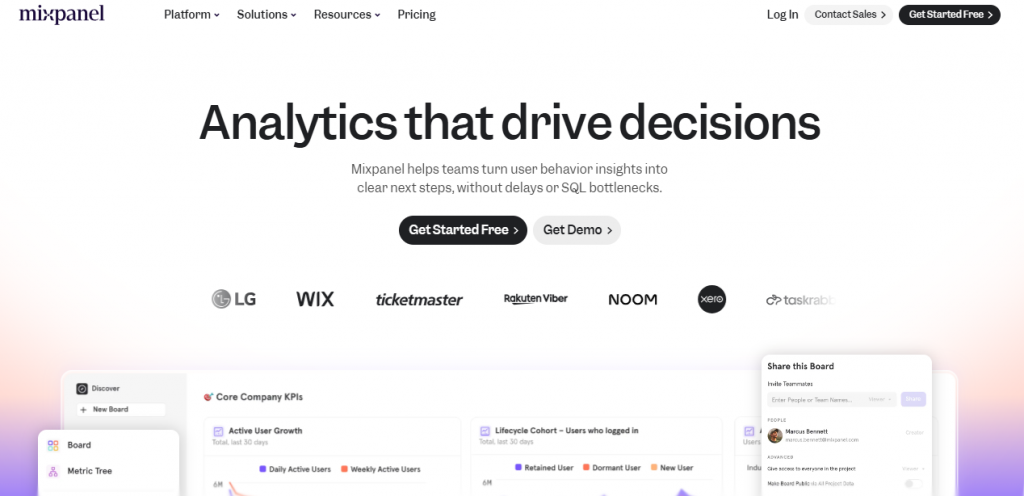
Mixpanel is a product analytics solution that combines your web, mobile, and application data and gives you unified user analytics. It is designed for marketers, product managers, and UX professionals seeking to improve the customer experience, without delays or SQL bottlenecks.
Standout Features of Mixpanel:
- Event-Based Tracking: Captures specific user actions, such as like clicks, sign-ups, or purchases, providing businesses with granular insights into user behaviours, which help them identify drop-off points and optimise site performance for maximum impact.
- Marketing Analytics: Provides a selection of attribution models that track session and page metrics, as well as campaign performance KPIs to help you pinpoint high-impact marketing activities where you should be directing your marketing spend.
- Retention Reporting: Highlights how often users return to a website after their first interaction and what sections they engage with frequently, thus enabling you to validate product stickiness and double down on features for long-term customer engagement.
Integrations: Google BigQuery, Snowflake, OneSignal, Braze, Slack, Zapier, Optimizely, Iterable, and more.
Pricing: Mixpanel offers three pricing tiers, starting with the Free plan, followed by the Growth plan (starting at $0 per month for tracking 1,000 events), and the Enterprise plan (custom quotes). No free trials.
Note: The Growth plan is free for startups for up to a year if they were founded in the last five years and haven’t received more than $8 million in funding.
Pros:
- Live insights on user trends promote faster decision-making
- Customizable funnels, dashboards, and retention charts
- Advanced segmentation filters for precise targeting strategies
Cons:
- High costs for teams tracking millions of events
- Steep learning curve for first-time users
- Event setup requires careful planning and developer support
10. Amplitude
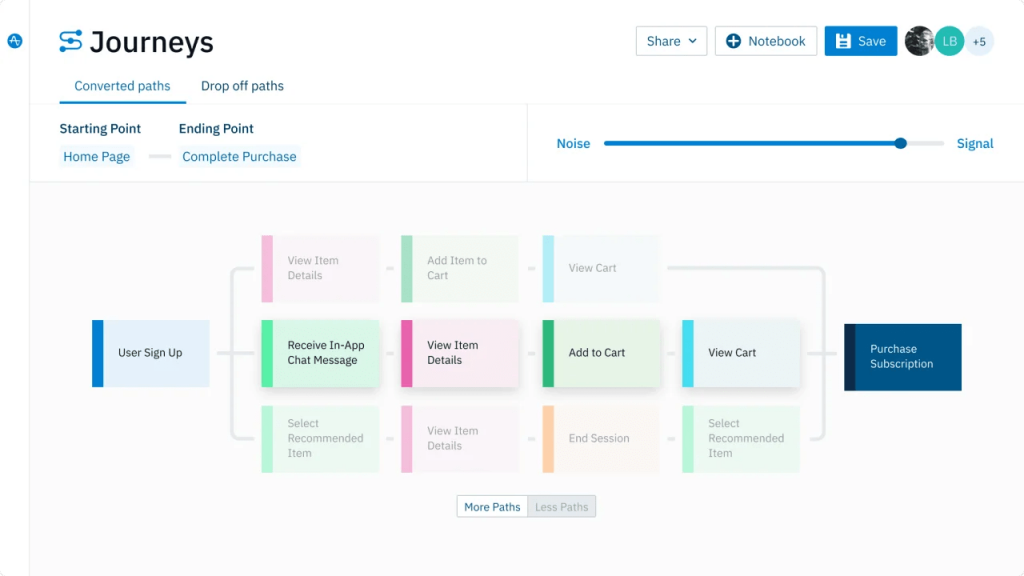
Amplitude is a leading analytics platform built to give companies deeper insights into customer behaviours across their products. It is designed for marketers, product managers, and UX teams seeking to uncover user engagement patterns that inform better product experiences.
Standout Features of Amplitude:
- Web Testing: Offers powerful A/B testing capabilities that help you build winning tests based on real-time data to craft better messaging, calls to action, and user flows—without sacrificing performance and speed.
- Marketing Analytics: Provides access to automated full-funnel insights by tracking default events across channels, campaigns, and pages, connecting website behaviours to page and session metrics, and digging into multi-dimensional user segments.
- Heatmaps and Session Replays: Integrates behavioural insights into real-time experiments and in-product nudges by zeroing in on friction points causing drop-offs and deploying targeted in-app guides and surveys to re-engage users.
Integrations: Google BigQuery, Snowflake, HubSpot, Iterable, Google Analytics, Tableau, Slack, RudderStack, and more.
Pricing: Amplitude offers four pricing tiers, starting with the Free plan, followed by the Plus plan (starting at $49 per month) and the Growth and Enterprise plans (both provide custom quotes, available upon request). No free trials.
Note: The Growth plan is free for startups for up to a year if they have less than 20 employees and haven’t received more than $8 million in funding.
Pros:
- Intuitive interface and advanced segmentation capabilities
- Customizable dashboards for real-time event tracking
- Generous free tier (50K MTUs or 10M events/month) for small teams
Cons:
- Steep learning curve for users without analytics experience
- Costs can scale quickly with high data volumes
- Search functionality is not very adaptive to natural language
11. Google Analytics 4
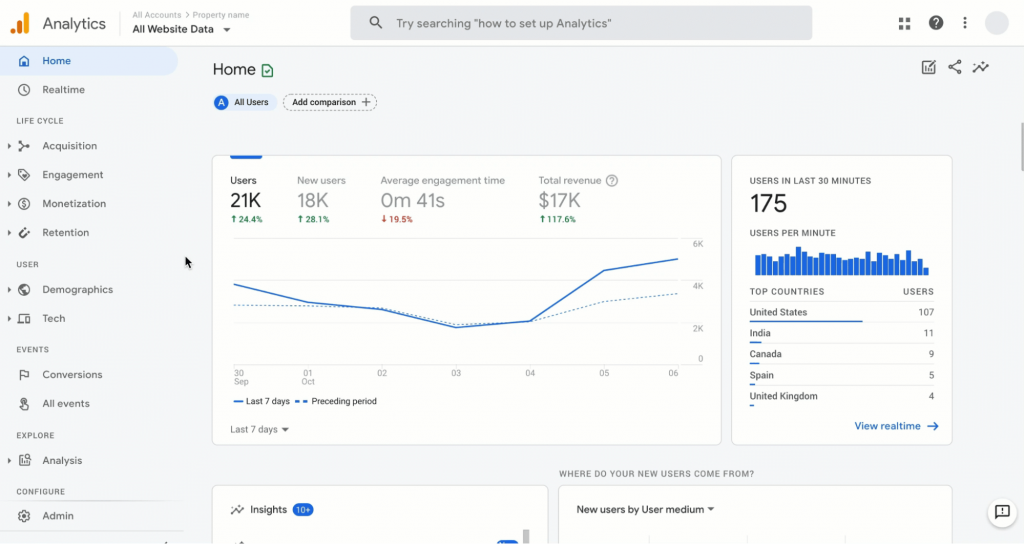
Google Analytics 4 is the newest version of Google’s analytics platform that transforms raw visitor data into insights about traffic sources and user behaviours. It is designed for analysts, marketers, and site owners seeking to measure their website’s performance.
Standout Features of Google Analytics 4:
- Enhanced Audience Building: Enables advanced segmentation based on demographics, user behaviours, and engagement patterns, and offers predictive audiences for making remarketing campaigns more cost-effective and conversion-driven.
- Event-Based Cross-Platform Tracking: Provides a unified view of user journeys across websites and mobile apps, beyond session-based tracking, allowing more flexible and granular measurement of user interactions.
- ML-driven Insights: Detects meaningful data using machine learning and flags anomalies like sudden spikes and drops to inform outcomes like churn and conversions.
Integrations: Google Ads, Google BigQuery, Google Tag Manager, as well as other third-party tools, such as Zoho Analytics, HubSpot, Salesforce, AppsFlyer, Facebook Ads, and more.
Pricing: Google Analytics 4 is essentially free. However, it does offer a paid enterprise plan called GA4 360 for companies with high data volumes.
Pros:
- Privacy-first design with strong GDPR and CCPA compliance
- Customizable event tracking with minimal setup
- More flexible attribution models to better reflect the real customer journey
Cons:
- Fewer standardised reports, requiring customisations
- Steep learning curve for Universal Analytics users
- Migration can be complex from the Universal Analytics system
12. SimilarWeb Web Intelligence
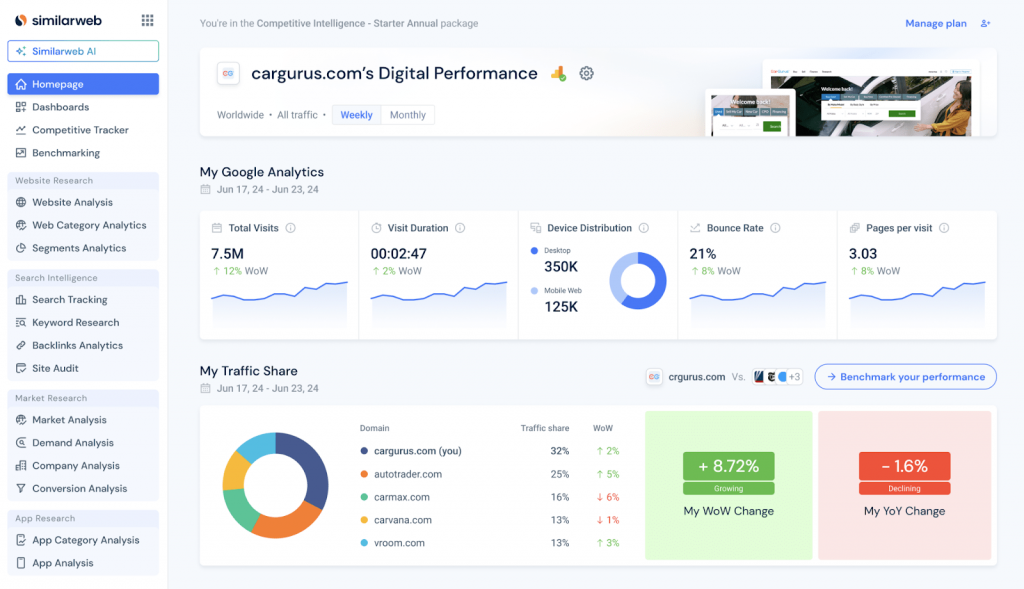
Similarweb is an AI-powered website intelligence platform that enables businesses to gain a deeper understanding of user behaviours and market dynamics.
It is designed for analysts, marketers, and business leaders seeking in-depth insights into digital trends, competitor performance, and audience preferences to guide strategic growth.
Standout Features of SimilarWeb Web Intelligence:
- Website Traffic Checker: Provides fresh traffic data, including search rankings, traffic sources, top keywords, and actual clicks for any domain, including your competitors.
- Behavioural Analytics: Offers valuable insights into who your website visitors are, where they are located, and what interests drive their online behaviours, by analyzing cross-browsing behaviors and competitive website data.
- Industry Web Traffic Heatmaps: Presents market share trends within biweekly snapshots to help identify emerging digital shifts and evolving consumer preferences.
Integrations: AWS, Google Cloud, Tableau, Google Looker Studio, Power BI, Snowflake, HubSpot, Salesforce, and more.
Pricing: SimilarWeb Web Intelligence offers four pricing tiers: Starter (at $199/month), Professional (at $399/month), Team (custom quotes), and Enterprise (custom quotes). You can also create a 7-day free trial account to explore SimilarWeb’s vast capabilities.
Pros:
- Excellent competitor benchmarking capabilities
- Intuitive dashboards and visualisations
- Offers custom reports, API endpoints, and data export options
Cons:
- Aggregated data may sometimes be inaccurate
- Steep learning curve for new users
- A broad scope of data sources may raise privacy concerns
13. Matomo (Formerly Piwik)
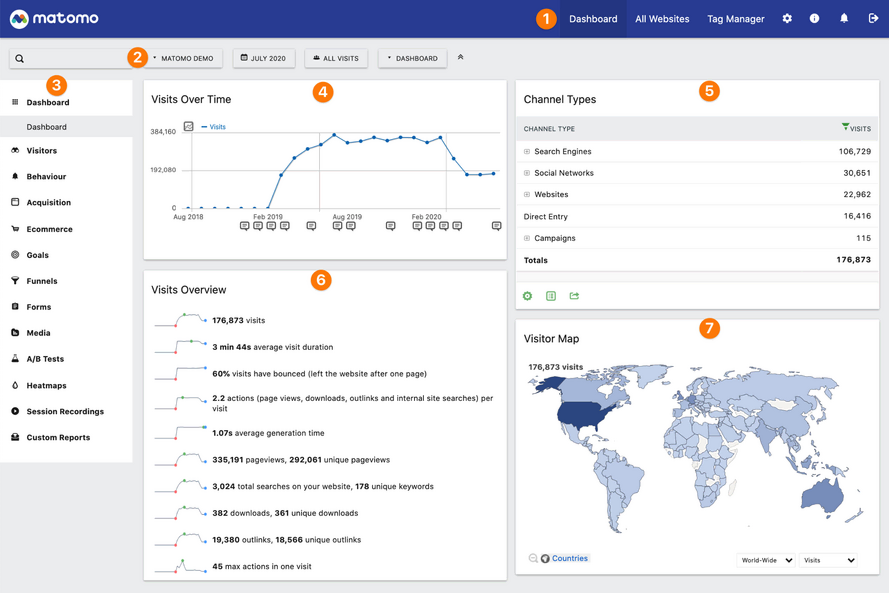
Matomo (formerly Piwik) is an open-source web analytics platform that enables businesses to host their analytics data on their own servers, thereby prioritising privacy and data ownership.
It is designed for analysts, marketers, and privacy-focused teams seeking granular insights into user behaviours while ensuring complete compliance with data regulatory standards like GDPR.
Standout Features of Matomo (formerly Piwik):
- Web Analytics Dashboard: Provides insights into website traffic, visitor demographics, devices, and engagement patterns, showing how users interact with your website.
- Heatmaps and Session Recordings: Offers visual heatmaps and playback of individual browsing sessions that show exactly where visitors click, scroll, or drop off, enabling you to pinpoint usability issues and opportunities for better design.
- Built-in Tag Manager: Enables easy implementation of marketing, analytics, and tracking scripts without altering website code, giving marketing teams more autonomy.
Integrations: WordPress, Webflow, Cookiebot, Shopify, HubSpot, Google Tag Manager, Whatagraph, Optimizely, and more.
Pricing: Matomo is free to use on your own servers. For its cloud-based SaaS, pricing starts at about $29/month and varies based on monthly pageviews. It also offers a 21-day free trail.
Pros:
- Simple deployment for private server implementations
- Zero data sampling for higher accuracy
- Complete data ownership with built-in privacy features
Cons:
- Cluttered UI and premium add-on costs
- Resource-intensive for high traffic
- Initial setup is complicated for non-technical users
14. Fathom Analytics
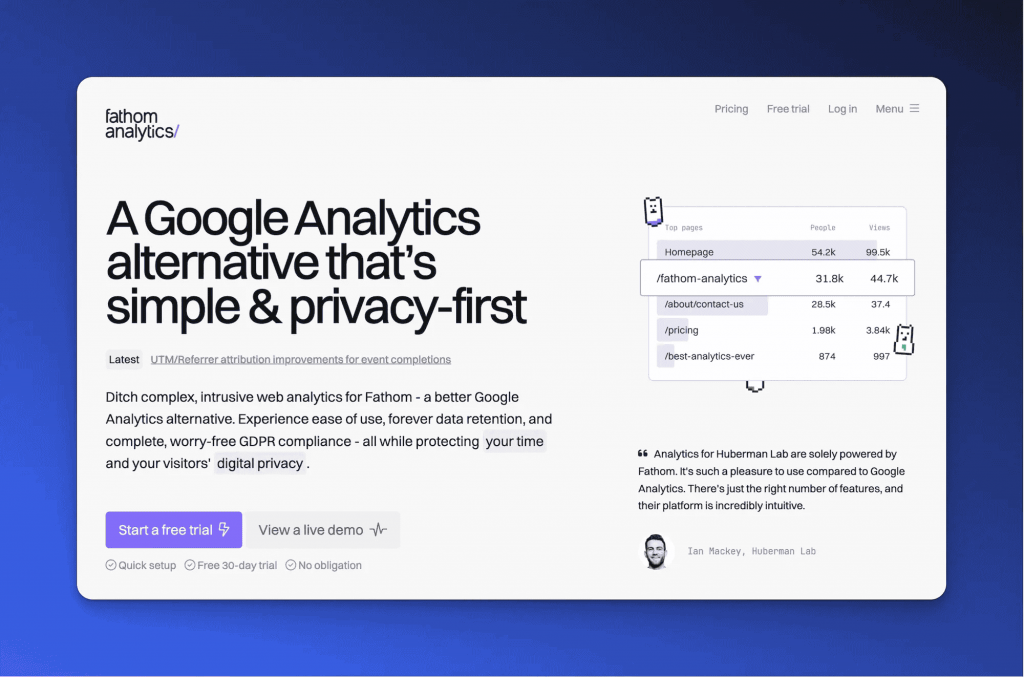
Fathom Analytics is a privacy-focused Google Analytics alternative that assists businesses in analysing their traffic without violating data regulations. It is designed for site owners, marketers, and companies seeking deep insights into their data while adhering to privacy laws.
Standout Features of Fathom Analytics:
- Real-Time Dashboard: Provides access to instant insights, such as page views, current visitor count, browser usage, and geographic data, in a single page.
- Event Tracking and UTM Campaign Analysis: Tracks custom events and actions, such as button clicks and form submissions, based on pre-defined triggers, and also uses UTM parameters to monitor campaign performance for optimisation opportunities.
- IP and Country Blocking: Prevents visitors that you don’t want browsing your website from accessing it and messing up your traffic analytics, including you, your employees or people from a country that your business doesn’t serve.
Integrations: WordPress, ConvertKit, Elementor, and Portable and Zapier (through which it connects with Notion, Slack, ChatGPT, and more).
Pricing: Fathom Analytics offers three pricing tiers: $15/month (for websites up to 100,000 pageviews), $25/month (for websites with up to 200,000 page views), and $45/month (for websites with 500,000 page views and above). It also offers a 7-day free trial.
Pros:
- Lightweight script doesn’t compromise website performance
- Offers live data on visitor activity
- Privacy-first tracking, compliant with GDPR and CCPA regulations
Cons:
- Limited segmentation and customisation options
- The user interface can be improved
- Lacks advanced features like heatmaps and session recordings
15. Adobe Analytics
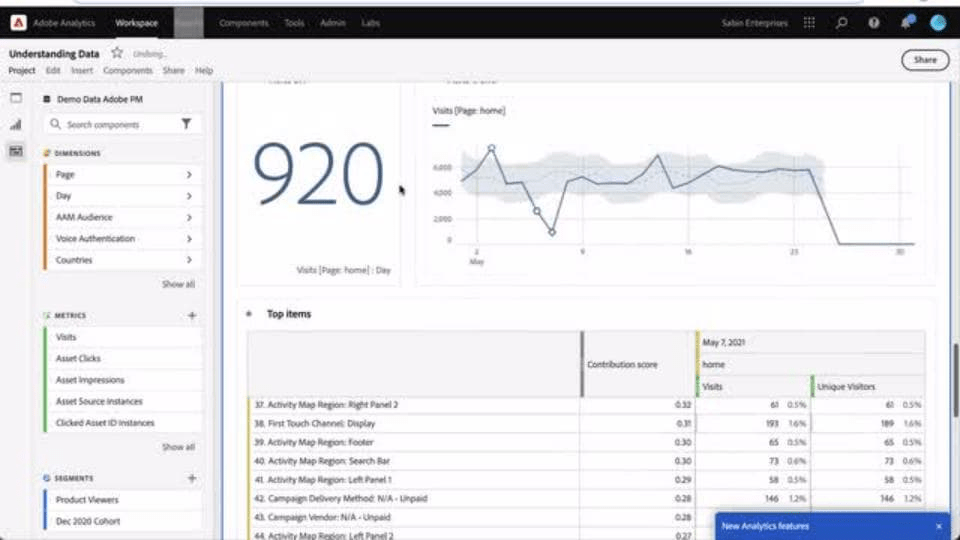
Adobe Analytics is a powerful digital analytics platform that enables businesses to understand how visitors engage with their brand online. It is designed for large organisations seeking unified analytics, combining website data with insights from mobile apps and social media.
Standout Features of Adobe Analytics:
- Advanced Segmentation Capabilities: Breaks down audiences into precise segments based on demographics, preferences, and behaviours, allowing you to uncover hidden patterns and optimise targeting for organic and paid channels.
- Cross-Channel Attribution: Provides full visibility into customer journeys across web, mobile apps, emails, and offline channels, to reveal the touchpoints driving conversions.
- Predictive Analytics with Adobe Sensei: Leverages AI and machine learning to detect patterns, such as shifts in traffic, engagement, etc., to anticipate future behaviours, forecast demand (particularly for eCommerce sites), and identify growth opportunities.
Integrations: Adobe Experience Platform, Adobe Journey Optimiser, Adobe Real-Time CDP, as well as other third-party tools, such as Microsoft Azure, Amazon S3, Google BigQuery, Salesforce Cloud, Whatagraph, LeadsBridge, Kameleoon, and more.
Pricing: Specific quotes are available upon request. No free trials.
Pros:
- Tailored dashboards and customizable reports
- High scalability for large organisations
- Enterprise-level tracking with advanced features
Cons:
- Complex setup and deployment, requiring IT expertise
- Performance lags with large data queries
- Opaque pricing is unsuitable for small and mid-sized businesses
How To Choose The Best Website Visitor Tracking Software

Choosing the best website visitor tracking tool for your business can be challenging. Here is a checklist of the key factors you should keep in mind before making your choice:
- Define Your Primary Goals: Start by identifying your primary objectives. Is it to identify anonymous prospects browsing your site or track their journeys as they navigate the pages? Or do you simply want to measure the traffic your website is drawing in? Clear objectives will lead you to specific tools that cater to your unique business requirements.
- Check Data Depth and Accuracy: Look for tools that record visitor identity information and browsing patterns, such as clicks, scrolls, and page views, in detail, and verify that the data is accurate and constantly updates itself. Such deep insights will lead your sales and marketing teams to make data-driven business decisions.
- Consider Integrations: The best website visitor tracking tools provide a wide range of third-party integrations so visitor data can enrich your entire funnel. This includes seamless interconnectivity with CRM platforms, email marketing tools, marketing automation software, customer support platforms, data warehouses, and more.
- Compare Ease of Use Vs. Depth: Depending upon technical expertise, team size, and specific business needs, your options can be varied. Small, non-technical teams may prefer intuitive dashboards, but if you require advanced analytics features, you must choose a platform that offers more depth of data, despite a steeper learning curve.
- Evaluate Privacy and Compliance: With stricter data regulations worldwide, you must verify if your website visitor tracking software supports first-party data collection, cookie consent management, data anonymisation, and secure storage. Ensuring privacy and compliance can foster trust and protect your organisation from legal issues.
- Check Pricing and Scalability: Review your options based on the features each tool offers against the cost of your investment. You must also determine whether the software can scale with your growing business needs, such as handling increased traffic or supporting more data storage, without premium markups affecting your budget.
Final Thoughts
That’s a wrap! I hope this article helps you choose the right visitor tracking tool for your website.
Remember, it is essential to ensure that your chosen platform aligns with your unique business needs, whether it is to track user behaviours, measure traffic, or identify the types of people actually browsing your website. Your users are the most reliable source of information when it comes to assessing whether your website is driving a real impact for your business.
This is why website visitor tracking tools are a must-add to every marketer’s tech stack.
However, you must focus on finding privacy-friendly options that won’t get you into hot water with data controllers or government regulatory bodies. With the ever-increasing focus on customer privacy and stringent crackdowns for data non-compliance, your website visitor tracking tool of choice must operate in line with regulatory standards like GDPR or CCPA.
This is where Salespanel shines. This website visitor identification software is GDPR-compliant and does not use any third-party cookies. Instead, it collects first-party data, and its user tracking function only kicks in once the visitor has given their consent. Furthermore, Salespanel also circumvents anti-tracking mechanisms by implementing first-party server-side tracking within its architecture. Want to check it out? Sign up for their 14-day free trial today!
Frequently Asked Questions (FAQs)
1. How do I check who visits my website?
You can monitor who visits your site with analytics tools, such as Google Analytics, or privacy-friendly alternatives such as Fathom Analytics, which will let you know how many visitors visit your website, from where, and how they behave on the site. In case you want to get down to person-level visitor identification, you can use tools such as Salespanel.
2. What traffic metrics should I track for my website?
To assess both reach and engagement, you should track traffic metrics, such as total visits, unique visitors, where the traffic is coming from, bounce rate, average session duration, and conversions. Define your unique business goals, whether it is awareness, lead generation, or conversions, and monitor the KPIs that align with those requirements.
3. Is it legal to track user activity on a website?
Yes, tracking user activity on a website is legal. However, with GDPR, you must obtain consent from users and include clear disclosures in your privacy policy about how the data is being used. Non-compliance can cause significant financial and reputational damage.
4. What are the best free website visitor tracking tools?
Some of the best free website visitor tracking tools are Google Analytics 4 and Matomo (for website analytics), Hotjar and UXtweak (for heatmaps, session recordings, and user journey tracking), and the free versions of Leadfeeder and Demandbase (for visitor identification).
5. How to track user activity on a website?
You can track user activity on a website by leveraging website analytics tools, heat maps, browsing sessions, or custom tracking scripts to track impressions, clicks, and page views. Ensure you obtain permission from your visitors before collecting their information, so that you are always in compliance with data regulatory standards, such as GDPR and CCPA.
Sell more, understand your customers’ journey for free!
Sales and Marketing teams spend millions of dollars to bring visitors to your website. But do you track your customer’s journey? Do you know who buys and why?
Around 8% of your website traffic will sign up on your lead forms. What happens to the other 92% of your traffic? Can you identify your visiting accounts? Can you engage and retarget your qualified visitors even if they are not identified?